Happy, supported staff are more likely to work hard and stay loyal to your business. And good HR management is critical to their success.
WhosOffice is the quick, flexible way to coordinate all your HR activities online, in one place. Via the web-based portal (available anywhere with an internet connection) or WhosOffice mobile app.
Our online HR module is designed to make life simpler, while helping you to build a strong company culture:
- Manage HR action centrally for complete compliance and accountability
- Create online staff records that can be updated by HR, management and employees
- Assign tasks to individual or multiple case handlers and track their progress
- Share actions, updates and documents with multiple people in one click
- Send email or push notification reminders when tasks need to be started or completed
- Create HR policies using WhosOffice case templates
Security is top of our agenda.
WhosOffice uses the latest hardware and encryption technology to keep your sensitive data safe. Whether you’re an SME using HR management tools for the first time, or a major enterprise upgrading your HR software.
Our platform is cloud-based. So you can complete tasks and monitor progress from the office or working remotely – knowing it’s totally secure.
Here’s some of the HR tasks you can manage online through WhosOffice:
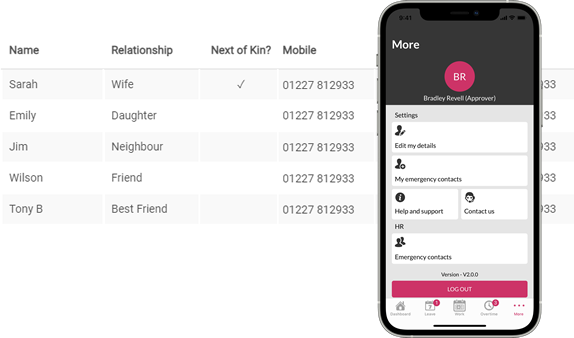
Take the strain of managing staff information off HR and management’s shoulders:
- Give everyone access to maintain and update their personal information – with the option to leave out any details they don’t feel comfortable sharing
- Restrict what information people can view, so they only see what’s relevant to their role
- Assign documents, tasks and cases to team members or departments – and set deadlines for completing them
- Create a shared emergency contact details list that everyone can access instantly
- Encourage staff to download the WhosOffice app and manage their HR data on-the-go
Create a slick, efficient system for embedding new starters into your team:
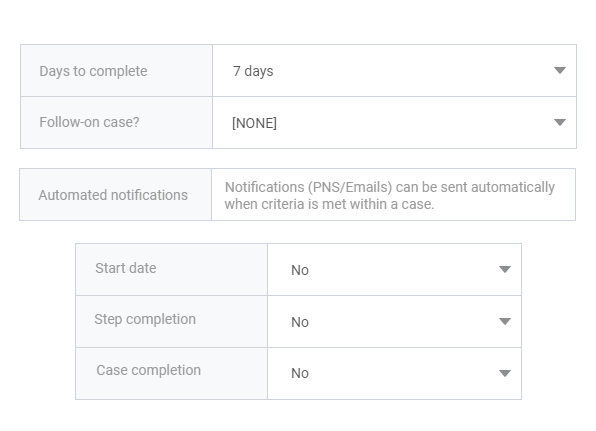
- Build step-by-step HR workflows for managing the onboarding and induction process
- Create staff profiles with photographs to easily identify team members
- Assign tasks and welcome sessions to colleagues, mentors and managers – which they check-off online once completed
- Set follow-up actions to support long-term success, such as scheduling quarterly reviews 3 months from people’s start date
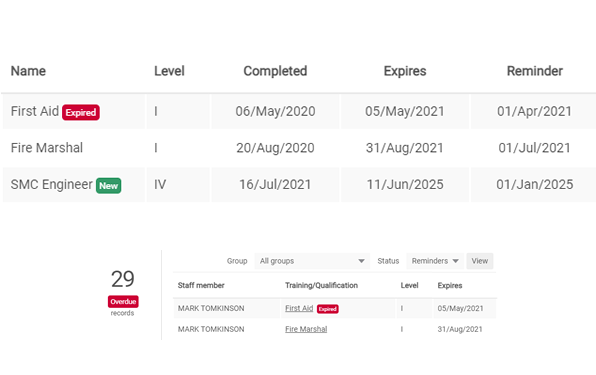
View capabilities across your business and find the right people to fill skills gaps:
- Record training and certifications – such as who’s first aid qualified or has a driving license
- Track industry-critical qualifications to make sure you’re running a compliant operation
- Set reminders before certifications expire to arrange renewals and further training
Make sure every element of employee wellbeing and career development runs smoothly:
- Schedule staff appraisals and manage meeting prep and development points
- Coordinate overtime and annual leave requests, creating an approval workflow to ensure they’re signed off quickly
- Manage employee grievances, attaching evidence to each case and setting follow-up actions for a quick, effective resolution
- Coordinate staff benefits – such as cycle to work schemes, gym membership, medical cover, life insurance and pension contributions – documenting when people are eligible for perks, who’s signed up and when they expire or renew

WhosOffice knows how stressful auditing can be, so we’ve created tools that make compliance simpler:
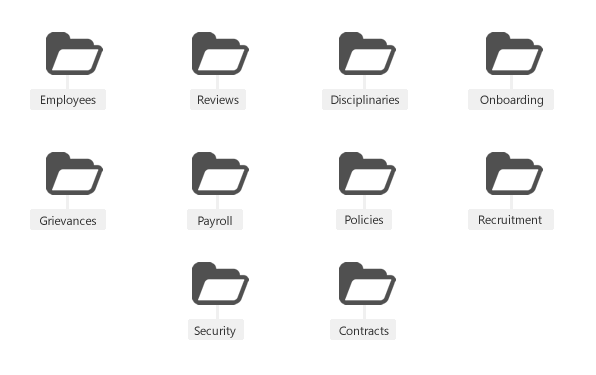
- Store every HR document in the same place, so your team knows where to find them
- Share policy and process changes with the whole company in one click
- Ask staff to confirm online when they’ve read documents and updates
- Remind colleagues when tasks are due to keep workflows moving in-line with company policies and meet compliance deadlines
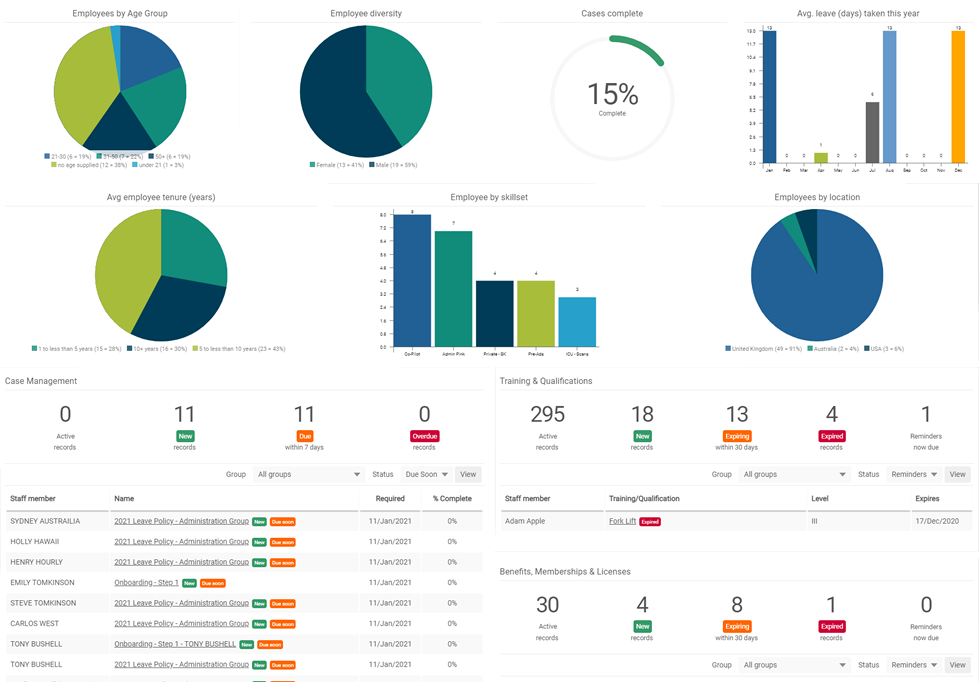
WhosOffice’s digital dashboard makes it easy to visualise performance and report success:
- View all your live HR cases and next steps at-a-glance
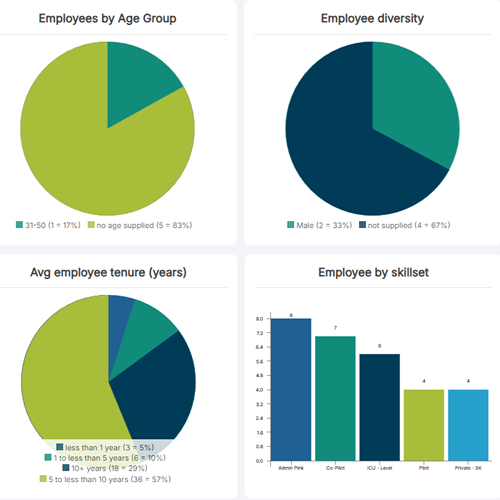
- Track important company data including diversity, annual leave trends and average length of service
- Export information via PDF report or excel spreadsheet to share with your colleagues
Is HR and document storage included as standard on WhosOffice?
Most WhosOffice modules are included in our standard user agreement. However, some features are available as an optional extra. HR and document storage is one of these additional features – and the cost will depend on how much document storage you require. The minimum storage volume is 250MB and the maximum is 3GB.
What type of information can I track using the HR feature?
The WhosOffice HR feature is multi-functional, which means you can use it to store multiple types of information and documentation. For example, you can upload all your company policies – from employee contract terms and annual leave policies to appraisal templates and disciplinary procedures. This means any member of staff can check documentation when needed, and they also know where it’s hosted for audit procedures.
You can also use the HR feature to create online employee records, detailing relevant information such as next of kin records, qualifications, certifications, training courses completed, medical information, KPIs and progress targets. Allowing you to run a completely paperless HR operation, without losing vital data on your workforce.
You can also attach relevant documentation to each employee’s records – for example, doctor’s notes following a prolonged period of sickness, or next steps in open HR cases.
Can employees access and update their own HR record?
Yes. WhosOffice has been designed to allow permitted access to every team member, so they can update basic information such as their address and emergency contact details. However, your HR team retains full control over what parts of the system they can view and edit.
When a general staff member logs into WhosOffice, they will be able to see any open actions assigned to them. For example, reviewing an updated company policy and confirming that they have read it, or providing information related to their upcoming performance review.
Is sensitive employee information stored securely?
Security is very important to WhosOffice, as we understand that HR needs to document highly sensitive information relating to employee salary, health, conduct and career progress. We use the latest encryption technology to protect all the data stored on our platform, and our customised access levels mean your company can restrict information on a need-to-know basis.
We will support you throughout the set-up process to make sure that each team member can access the parts of the WhosOffice platform they need, but they can’t read confidential information related to other employees.
Can I use the WhosOffice HR module to track when employee qualifications expire?
Yes. If an employee has a qualification that needs renewing regularly or training that must be updated on an annual basis – for example, first aid qualifications – you can set an expiry date within the WhosOffice HR system. You will be shown a reminder when that certification is due to expire to give you time to arrange for its renewal.
Can I create HR records and induction workflows before people start with the company?
Another advantage of WhosOffice’s online HR tools is the ability to get ahead of the game when it comes to new starters. When someone accepts a position in your company, you can create their employee record and create their induction workflow – assigning key tasks to colleagues to ensure they settle in smoothly. For example, getting their desk, computer and login details set up before their first day.
Staff members must check-off each assigned action once it’s been completed, so you can see at-a-glance whether everything is in place for new recruits and if they’ve completed their induction sessions.
Can I schedule repeat/follow-up HR meetings?
Yes, you can. WhosOffice’s HR feature allows you to create action points within each open HR case to track future activity. This might be a one-off meeting, such as following up on a disciplinary meeting to make sure the employee concerned has completed all the agreed actions. Or it might be scheduling regular events to make sure they happen on time, such as quarterly or bi-annual performance reviews.