WhosOffice is the ideal way to manage public holidays alongside annual leave. You can bulk-import dates years in advance, for an accurate schedule at-a-glance.
- Set public holidays by region or country
- Make sure key dates show up on all staff calendars
- Choose whether public holidays come out of allowances
- Stop people taking leave when they are needed at work
This feature isn’t just for national holidays; you can add bespoke events such as training days, team building exercises and company conferences, to make sure everyone can attend.
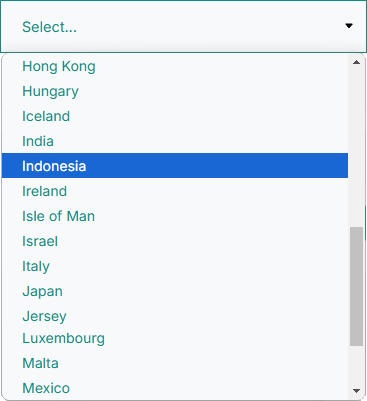
WhosOffice public holidays feature is particularly useful for companies spanning multiple regions, as national days off will vary from country to country.
Building in public events will give you time to prepare, ensuring that workload is covered, and the wider team knows who’s off.
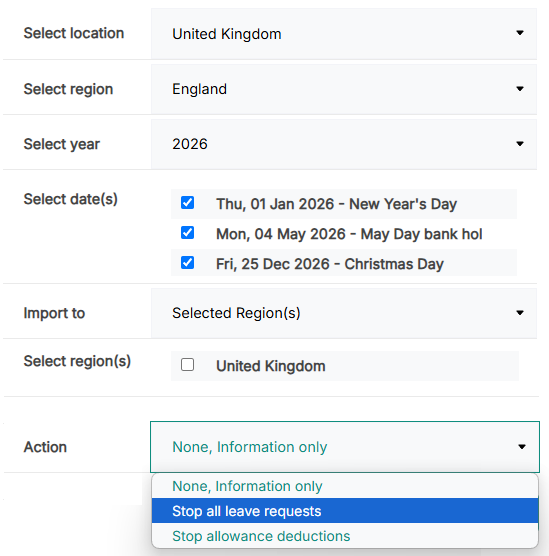
WhosOffice enables you to put rules in place, depending on the type of event.
For example, on a public holiday, you may wish to grant all workers in that region the day off, without it being deducted from their annual leave entitlement. Equally, if there’s a company away day on the horizon, you may want to block staff from booking time off if their attendance is required.
Do I need to treat public holidays differently to standard annual leave?
There are three different ways companies can choose to manage public holidays. Option 1: you gift public holidays to staff as extra time off in addition to paid annual leave. Option 2: you include Bank Holidays within staff holiday entitlements. Option 3: your business is open as usual during public holidays. Whichever option you choose, make sure this is clearly explained in your company’s annual leave policy.
How you choose to coordinate Bank Holidays will affect how you manage them in WhosOffice. For example, if your workplace will be closed then you need to block out all public holidays in your annual leave calendar. And if these days are included in employees’ holiday allowance, they will also need to be deducted from their total holiday entitlement. This helps to avoid any confusion or calculation errors around total holiday allowances.
Can I customise which public holidays employees are entitled to take?
Yes, you can. This feature is particularly helpful for companies with an international footprint, as public holidays will vary from country to country. WhosOffice’s leave management feature enables you to track all Bank Holidays and display them on the company holiday calendar, but only grant permission for time off to employees living and working in the relevant regions.
You can also grant time off to staff observing other important national or cultural events, even if they aren’t recognised as a public holiday. For example, religious events like Rosh Hashanah, Yom Kippur, Diwali, Eid and Ramadan.
Can I restrict annual leave requests on Bank Holidays?
While some companies grant everyone the day off for public holidays, in some sectors (such as retail and hospitality) Bank Holidays are the busiest trading periods.
If this is true in your business, you can use WhosOffice’s leave management software to prevent people from booking time off during public holidays. Making sure your full team are available to support you when work is most demanding.
Can I use the public holidays feature to manage company events and training?
Yes – in addition to granting people time off for important events that aren’t public holidays, you can use WhosOffice’s leave management feature to manage internal commitments. For example, you can block out important training events and team building days to stop people booking that time off as annual leave or arranging external meetings that clash with internal exercises.