Frequently Asked Questions
Do I have to pay extra for the task planning & management software?
Most WhosOffice features are included as standard, however task planning & management tools are an optional extra. This means you need to pay slightly more to use these tools, but they’re highly valuable to running a smooth business operation.
Can I control who can set and edit tasks?
Yes. The WhosOffice platform is customisable, so you can set access levels for each member of staff. This enables you to let every employee login and view information that’s relevant to their role – for example, they can check the online task plan whenever they want, to see which jobs they’ve been assigned. But only staff members with additional access permissions (for example, team leaders, managers and HR) can create task lists or assign jobs.
How far in advance can I plan tasks?
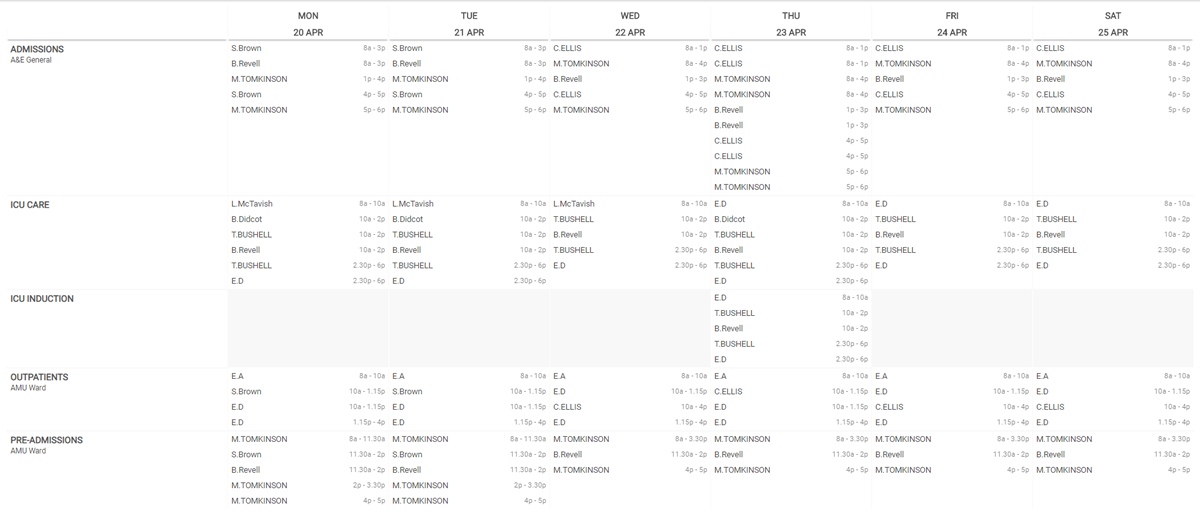
There’s no limit! With WhosOffice, you can plan schedules and task lists as far in advance as you want, and even repeat days once you have your perfect template. This makes it an ideal tool for allocating the right number of resources to jobs on a daily, weekly, monthly or quarterly basis, with minimal administration effort.
Can I limit tasks to staff with certain qualifications or skills?
Yes – another key feature of WhosOffice task management is tailoring jobs to the right team members.
Some of your basic tasks can be completed by anyone, but others will require specialist skills or experience.
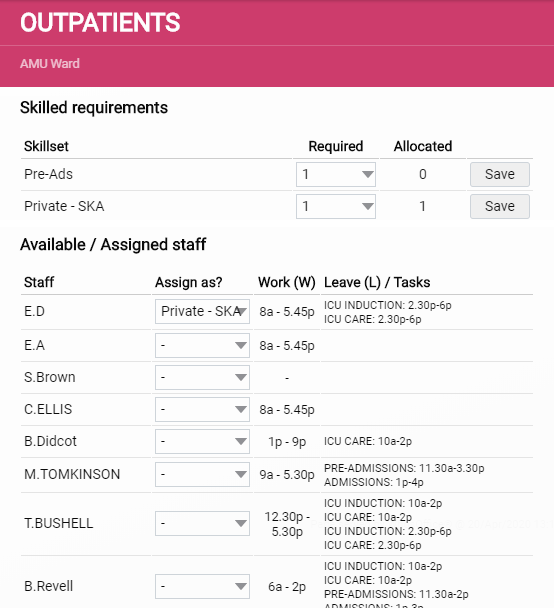
When you’re adding tasks to your plan, you can select the “skilled requirements” needed for that job, and then choose relevant, qualified people to complete that task. It’s also possible to segment the number of skilled people for each task – for example, you may need one person with a specific skillset to lead the task, but they can be supported by anyone within your business.
How do I know if I haven’t assigned enough people to a task?
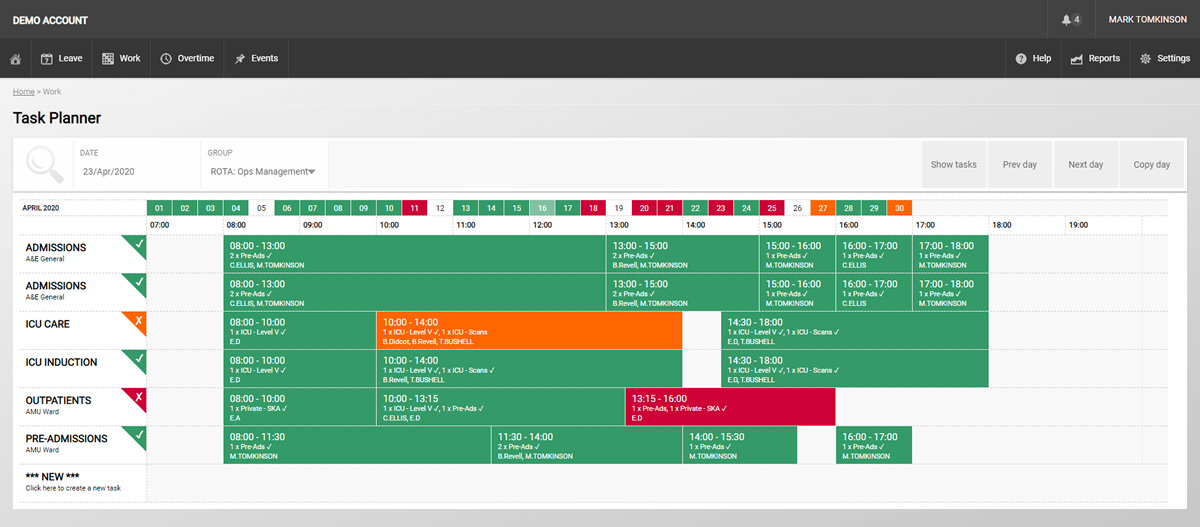
When the right number of people with the right number of skillsets have been selected for each task, that task will turn green on your online planner. Any tasks highlighted in orange or red need your attention – for example, there aren’t enough people assigned to that particular job. This makes it really simple to spot task management problems and resolve them ahead of time, rather than uncovering shortages during the course of a shift.
Visit our knowledgebase for more information on the traffic light system.
Can staff check their task list on their mobile?
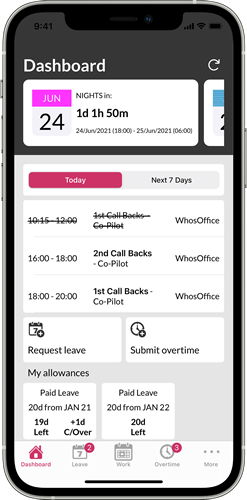
Yes! One of the things WhosOffice users love most about our task planning & management feature is the ability to check their up-to-date task list on the move via the WhosOffice mobile app. This prevents people having to return to a central computer or printed sheet to check where they’re due next, helping them to work more productively and limit time wastage.
The WhosOffice mobile app is available for both Android and iOS smartphones.